GstarCAD365

GstarCAD 365

Cloud CAD for DWG — on mobile, in a browser, and on your desktop.
GstarCAD 365 is a cross‑platform CAD cloud service that keeps your DWG drawings accessible, shareable, and collaborative. Open and mark up drawings on iOS, Android, the web, and Windows — while keeping the CAD software you already use in the design office.
Use GstarCAD 365 to connect design teams, site supervisors, contractors, and clients around a single source of project truth. Manage projects, permissions, and people from a central backend, and keep everyone working from the latest drawing revision without emailing files.
30‑day free trial for GstarCAD 365. No credit card required to start testing with your own DWG drawings.

Mobile access on iOS and Android

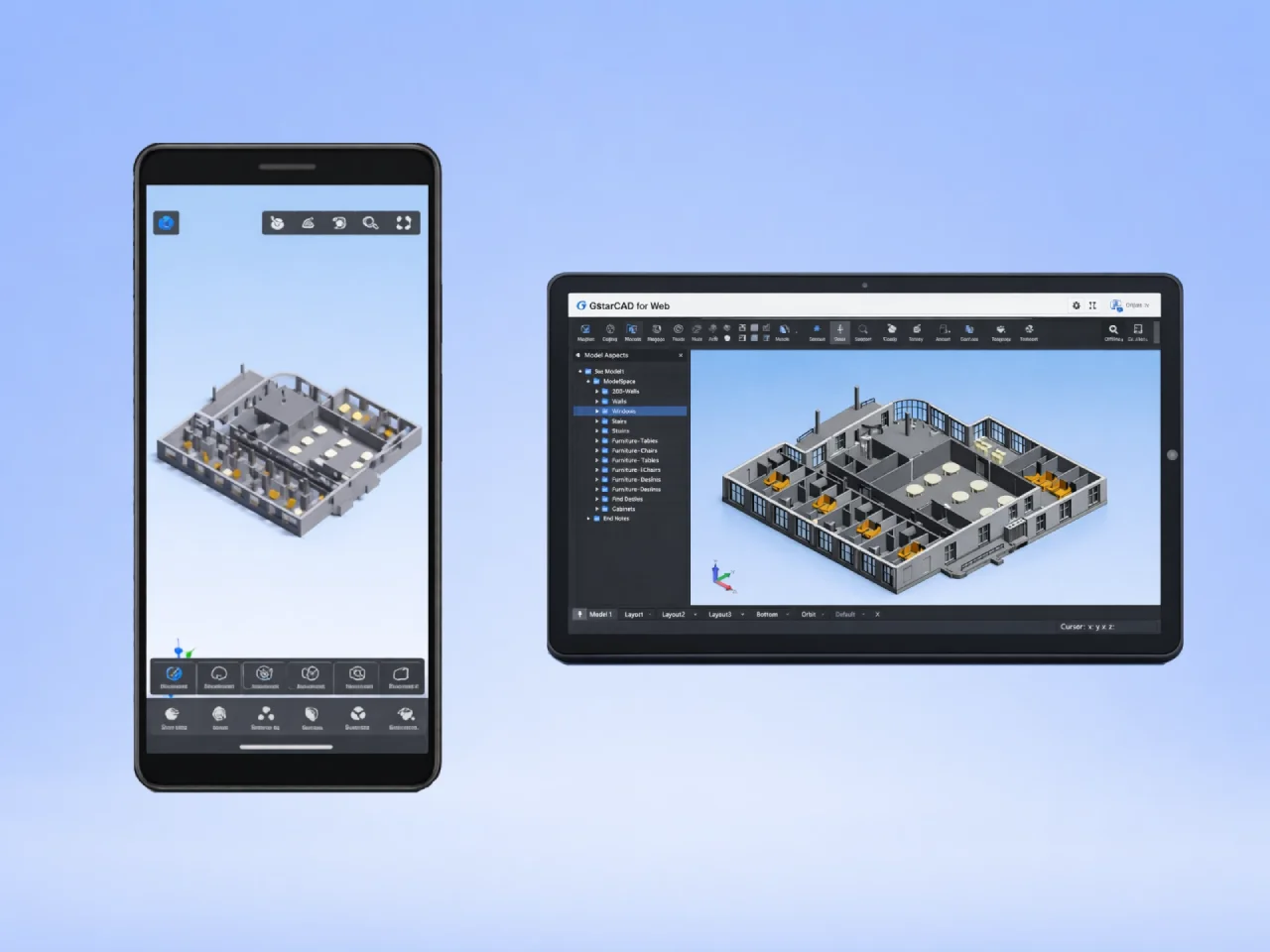
Open, view, and annotate DWG drawings on your phone or tablet directly on the construction site or in the field. GstarCAD for Mobile supports 2D and 3D viewing, drawing tools, layers, dimensions, measurements, and cloud annotation. No laptop required.

Browser access — no installation needed

GstarCAD for Web lets any team member open and review CAD drawings directly in a web browser. No plugin, no installation, no IT overhead. Share a link, review a drawing, move on.

Real-time team collaboration

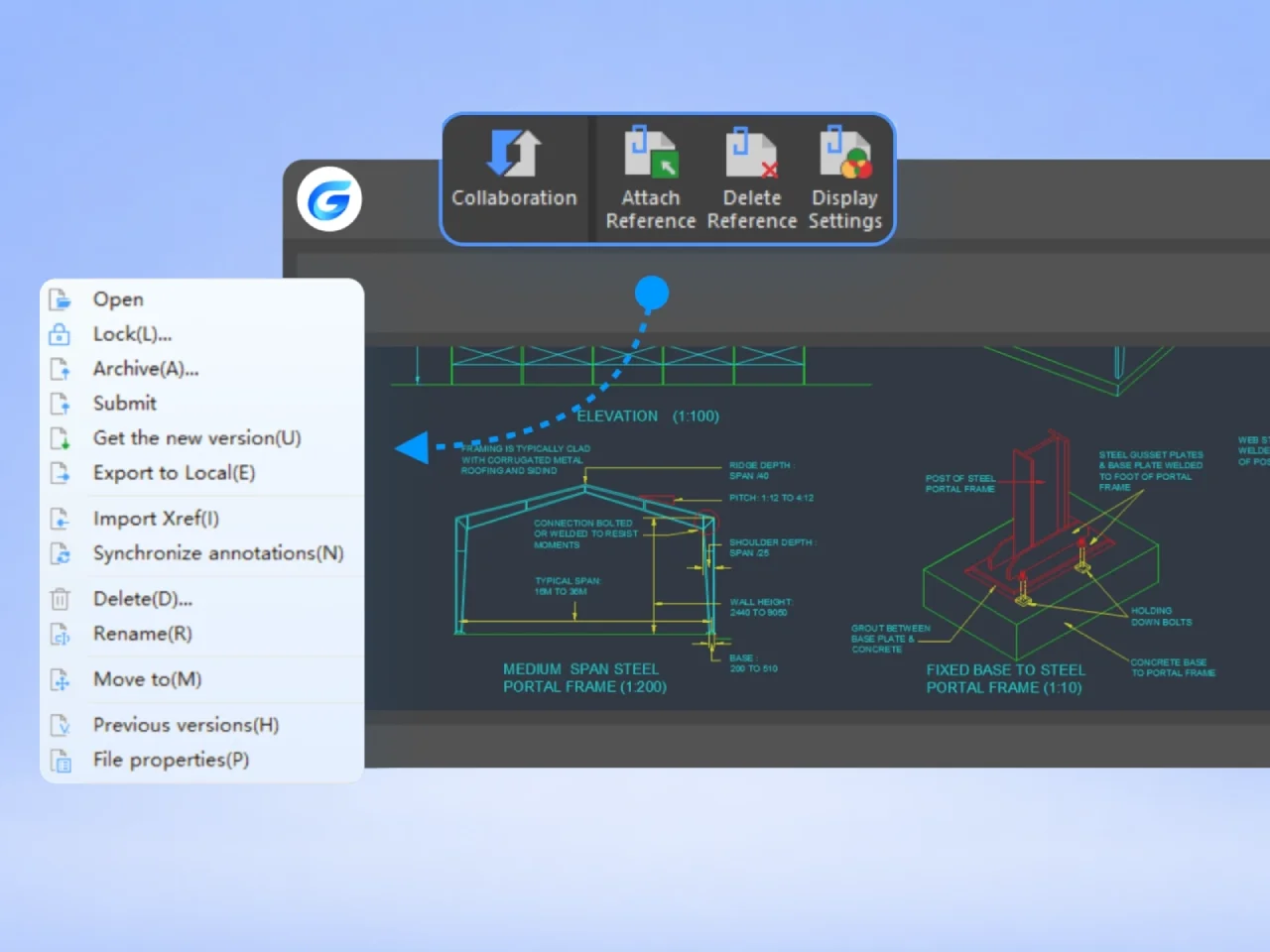
LiveCollab enables multiple team members to view and annotate the same drawing simultaneously, with changes visible in real time on all connected devices. Built-in messaging, file sharing, and voice communication keep your team aligned.

Cloud annotations — stored, shared, synced

Add text, leaders, arrows, revision clouds, sketches, images, and voice recordings as cloud notes — stored server-side and visible across all devices. Annotations never modify the original DWG file.

PC viewer with advanced tools

GstarCAD View on PC is a full-featured Windows viewer with batch printing, measurement, area calculation, and format conversion. Ideal for project managers, site coordinators, and reviewers who need more than basic viewing — without a full CAD licence.

Centralised project and permission management

Administrators manage team members, projects, drawings, and access rights from a web-based backend. Role-based permissions control who can view, annotate, or share each drawing across every device in the organisation.

30 day trial

Start designing in GstarCAD 365

Try GstarCAD 365 free for 30 days. Connect your team to a secure, DWG‑native cloud platform without changing the CAD software they use today.

COMPONENTS

What is GstarCAD 365?

GstarCAD 365 is a comprehensive CAD cloud platform that keeps your DWG drawings accessible and in sync — on mobile, in any browser, and on Windows PCs. It connects every member of your project team without forcing a change to the CAD software they already use.

GstarCAD for Mobile

your drawings on iOS and Android

Open, view, and mark up DWG drawings directly on a phone or tablet — on the construction site, in a client meeting, or anywhere in the field.
  • View 2D and 3D DWG drawings on iOS and Android — no laptop required.
  • Draw, edit, add dimensions, and manage layers directly on the mobile device.
  • Add cloud annotations — text, arrows, sketches, revision clouds, images, and voice recordings.
  • Measure distances, areas, angles, radii, and arc lengths with mobile-friendly tools.
  • View multiple drawings and switch between 2D and 3D visual styles.
  • GstarCAD for Web

    open drawings in any browser

    GstarCAD View on PC

    advanced Windows viewer

    Company management backend

    projects, permissions, and people
    Capabilities summarised from the official GstarCAD 365 product overview.
    CAPABILITIES

    What Can You Do with GstarCAD 365?

    GstarCAD 365 is a cross-platform CAD cloud application that extends your DWG workflow beyond the desktop — to mobile devices, web browsers, and a dedicated PC viewer. It is designed for teams and companies that need to view, annotate, collaborate on, and manage drawings across multiple devices and locations.
    Mobile

    Your Drawings in Your Pocket. On Any Site.

    GstarCAD for Mobile (iOS and Android) puts full DWG access in the hands of every project participant — from the design team to the site engineer — without requiring a desktop or laptop.
  • View 2D and 3D DWG drawings on iOS and Android, with full zoom, pan, and layer control.
  • Draw polylines and lines, add text, edit geometry, and manage layers directly on the touchscreen.
  • Add cloud annotations — text, arrows, sketches, revision clouds, images, and voice recordings — stored server-side and visible across all connected devices.
  • Measure distances, areas, angles, radii, and arc lengths; add linear, aligned, and angular dimensions.
  • Convert PDF files to CAD format and view multiple drawings simultaneously in multi-image mode.
  • Collaboration

    Keep Your Whole Team Aligned. In Real Time.

    Web sharing

    Share a Link. Anyone Can Open It. No Software Required.

    Administration

    One Backend. Every Project. Full Control.

    All features verified against: GstarCAD 365 User Guide.
    WORKFLOWS

    How GstarCAD 365 fits into your workflow

    Use GstarCAD 365 alongside GstarCAD or AutoCAD® to connect office, site, and stakeholders — without changing the core CAD tools your designers rely on.

    On site and in the field

    Give supervisors, installers, and contractors direct access to the latest DWG drawings.

  • Always‑up‑to‑date drawings on phones and tablets.
  • Mark up issues with photos and voice notes linked to locations.
  • Reduce miscommunication between design office and field teams.
  • In the design office

    Keep GstarCAD or AutoCAD® as your primary CAD tool while using GstarCAD 365 to distribute information.

  • Publish drawings from GstarCAD directly into shared cloud folders.
  • Share review links instead of emailing multiple DWG copies.
  • Collect consolidated feedback from stakeholders in one place.
  • For project managers

    Maintain oversight of projects without opening desktop CAD every time.

  • Quickly open and review drawings in a browser.
  • Check status, comments, and revisions from anywhere.
  • Control who can download or further share drawings.
  • For clients and partners

    Provide controlled access to project information without exposing your full CAD environment.

  • Share secure links with expiry and limited permissions.
  • Avoid version confusion by pointing everyone to one source of truth.
  • Offer a modern viewing experience even to non‑CAD users.
  • COMPARE PLANS

    Choose the right plan for your team.

    Both plans include mobile, web, and PC viewer access. Standard adds the Collaboration Module for real-time teamwork directly inside GstarCAD.

    FEATURES

    Basic Plan

    Mobile, Web & PC Viewer

    Recommended

    Standard Plan

    Full platform with collaboration

    GstarCAD for Mobile (iOS & Android)
    GstarCAD for Web
    GstarCAD View on PC
    Collaboration Module on GstarCAD
    ×
    Choose the plan that matches how your team works today.

    Ready to switch to GstarCAD?

    Talk to our CAD specialists about licensing, migration, and deployment, or go straight to the store to configure your GstarCAD edition and see pricing options.

    Perpetual licenses, network options and maintenance available.
    CadTechStore
    ACN: 698 501 227
    CadTechStore is Official Authorized Sales and Support Partner for GstarCAD software in Australia & New Zealand.

    © 2026 CadTechStore. All rights reserved.

    GstarCAD is a trademark of Gstarsoft Co., Ltd.

    Scroll to Top