GstarCADProfessional

GstarCAD Professional

Full 2D & 3D CAD software. The professional alternative to AutoCAD® Full.
GstarCAD Professional is the complete CAD platform for engineers, designers, and project teams who need more than 2D drafting. It includes everything in Standard — plus full 3D solid modelling, a complete Dynamic Block editor, parametric constraints, and direct import of BIM and 3D engineering formats including IFC, RVT, and STEP/IGES.
From precise 2D technical drawings to 3D models, rendered visuals, and cross-section documentation — GstarCAD Professional handles the full design workflow in a single, native DWG environment.
GstarCAD Professional uses the same commands, shortcuts, and interface as AutoCAD®. Teams switch without retraining — and at a significantly lower total cost of ownership.
30-day money-back guarantee on all licenses. Contact our support team within 30 days of purchase to request your refund.
Complete 2D/3D CAD platform

Model in 3D, document in 2D and manage every stage of your drawings inside a single DWG-native CAD environment.

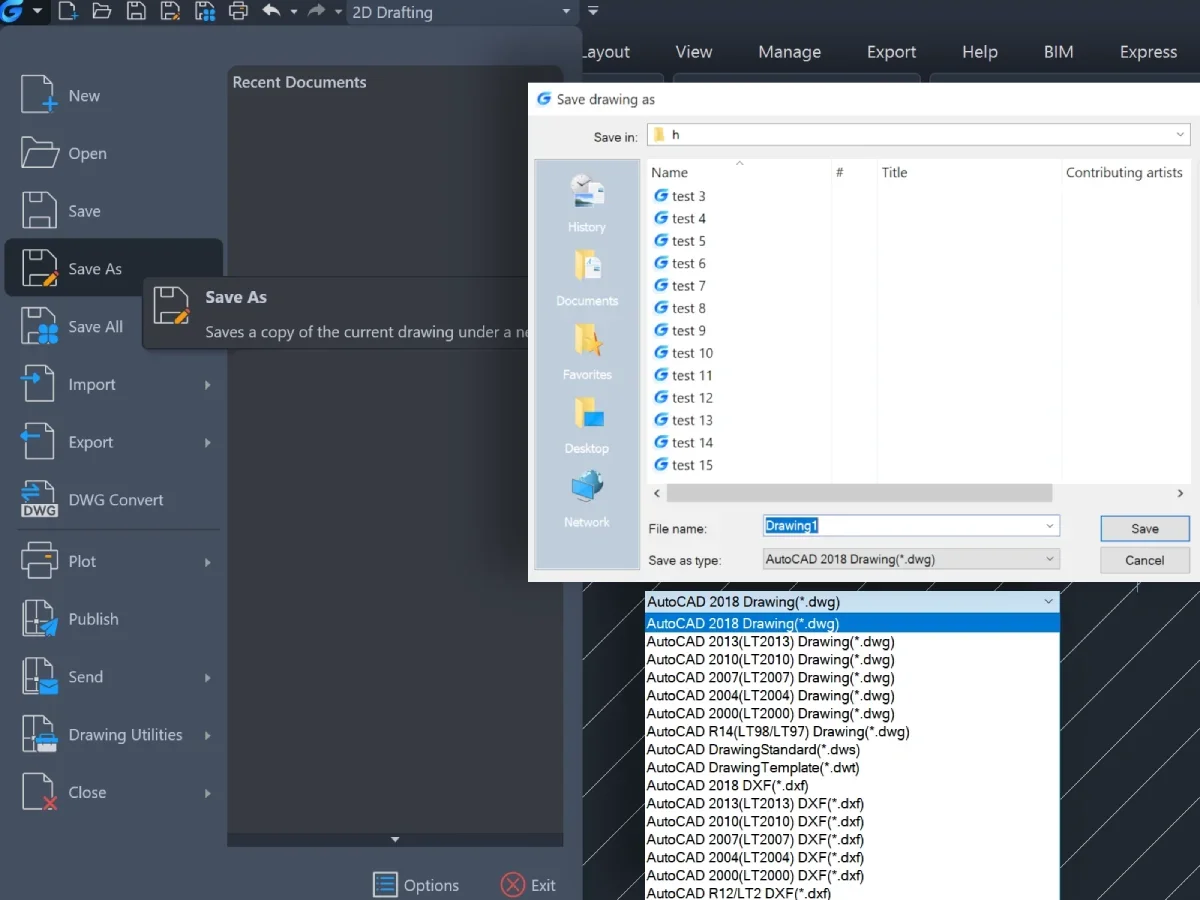
Native .dwg format — no conversion needed

Open, edit, and save AutoCAD® DWG files as-is. No import, no export steps, and no risk of data loss.

Advanced 3D modelling & rendering

ACIS-based solid modelling, surface tools, sections and photorealistic rendering for impressive project presentations.

AutoCAD®-familiar commands and interface

Same commands, shortcuts, and workspace as AutoCAD® so users stay productive from day one.

Flexible licensing types

Choose the license model that fits your team: standalone, network, or USB dongle based.

Windows, macOS & Linux

Run GstarCAD Professional on your preferred operating system without compromising performance.

30 day trial

Start designing in GstarCAD Professional

Try GstarCAD Professional free for 30 days. No credit card required, no obligations.

COMPATIBILITY

Full compatibility to design with DWG files

GstarCAD Professional is a native DWG platform for high-speed design and 100% data compatibility with familiar commands.

Open existing AutoCAD® files and re-use everything inside them:
  • Native .DWG and .DXF read/write — AutoCAD® version 2.5 to the latest release.
  • Full compatibility with blocks, templates, plot styles, sheet set layouts, and xrefs.
  • Support for all standard AutoCAD® support files: .SHX, .LIN, .PAT, .DWS, .DWT.
  • DWG Convert — batch-convert files between DWG versions in a single operation.
  • Easy data migration with eTransmit — package drawings with all dependent files.
  • All features verified against: GstarCAD 2026 Products Comparison (May 31, 2025) | GstarCAD 2026 User Guide.
    CAPABILITIES

    What Can You Do with GstarCAD Professional?

    GstarCAD Professional combines powerful 2D drafting with full 3D modelling, rendering, and deep AutoCAD® compatibility — while keeping a perpetual-license option for predictable long-term cost.

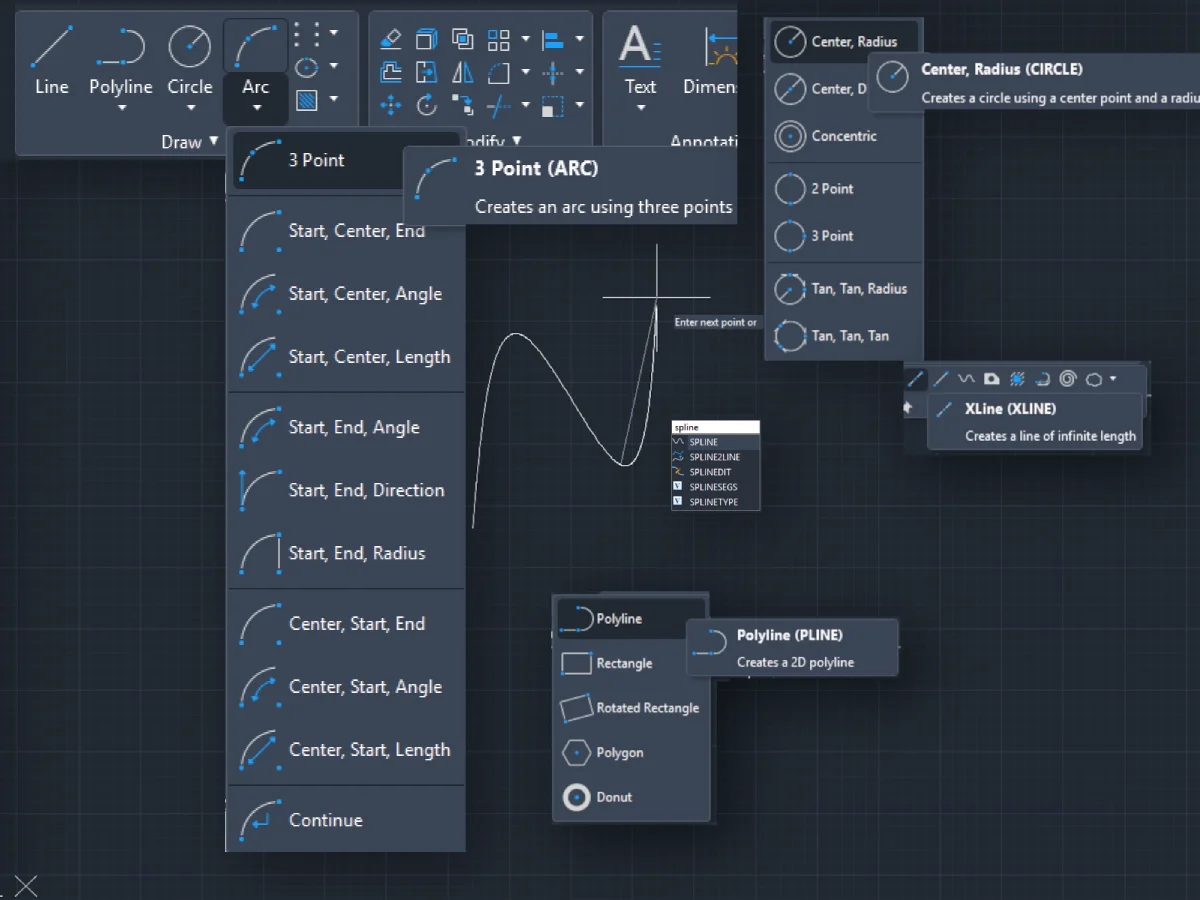
    2D drafting & editing

    Professional Drawing Tools, Right Out of the Box.

    FULL 3D MODELLING, RENDERING & DOCUMENTATION

    Design in 3D. Document in 2D. Render to Impress.

    GstarCAD Professional delivers a complete 3D environment — from solid and surface modelling to photorealistic rendering and automated 2D documentation from 3D models.
  • Full ACIS solid modelling: extrude, revolve, sweep, loft, and Boolean operations.
  • Surface tools: POLYSOLID, PLANESURF, SURFOFFSET, CONVTOMESH, CONVTOSOLID, CONVTONURBS.
  • Section Plane — cut through any 3D model and save cross-sections as reusable 2D or 3D blocks.
  • Render with materials, point lights, spotlights, and distant lights for photorealistic output.
  • Solid Editing, Flatshot, and Solprof/Solview/ Soldraw for 2D drawing generation from 3D geometry.
  • SMART TOOLS & DYNAMIC BLOCKS

    Design with Precision. Work with Intelligence.

    AUTOCAD® DEEP COMPATIBILITY

    AutoCAD® Compatibility — At a Deeper Level

    All features verified against: GstarCAD 2026 Products Comparison (May 31, 2025) | GstarCAD 2026 User Guide.
    COMPARE VERSIONS

    Choose the right versionfor your workflow.

    GstarCAD is available in multiple versions — ranging from essential 2D drafting to advanced 3D modeling and mechanical design. Compare features to choose the version that best fits your needs.

    DWG / DXF from 2.5 to 2018
    2D Tools Basic
    API / LISP / VBA / GRX / .NET
    Express Tools
    IFC import / export
    ×
    STEP / IGES files import
    ×
    3D CAD Tools
    ×
    Dynamic Block Editor
    ×
    Parametric Constraints
    ×
    Mechanical Standards & elements
    ×
    ×
    ×
    Design / Library
    ×
    ×
    ×

    Ready to switch to GstarCAD?

    Talk to our CAD specialists about licensing, migration, and deployment, or go straight to the store to configure your GstarCAD edition and see pricing options.

    Perpetual licenses, network options and maintenance available.
    CadTechStore
    ACN: 698 501 227
    CadTechStore is Official Authorized Sales and Support Partner for GstarCAD software in Australia & New Zealand.

    © 2026 CadTechStore. All rights reserved.

    GstarCAD is a trademark of Gstarsoft Co., Ltd.

    Scroll to Top